Before creating your client
You need to create a PAT (Personal Access Token) so that your application can call Azure DevOps and interact with it in a REST manner.
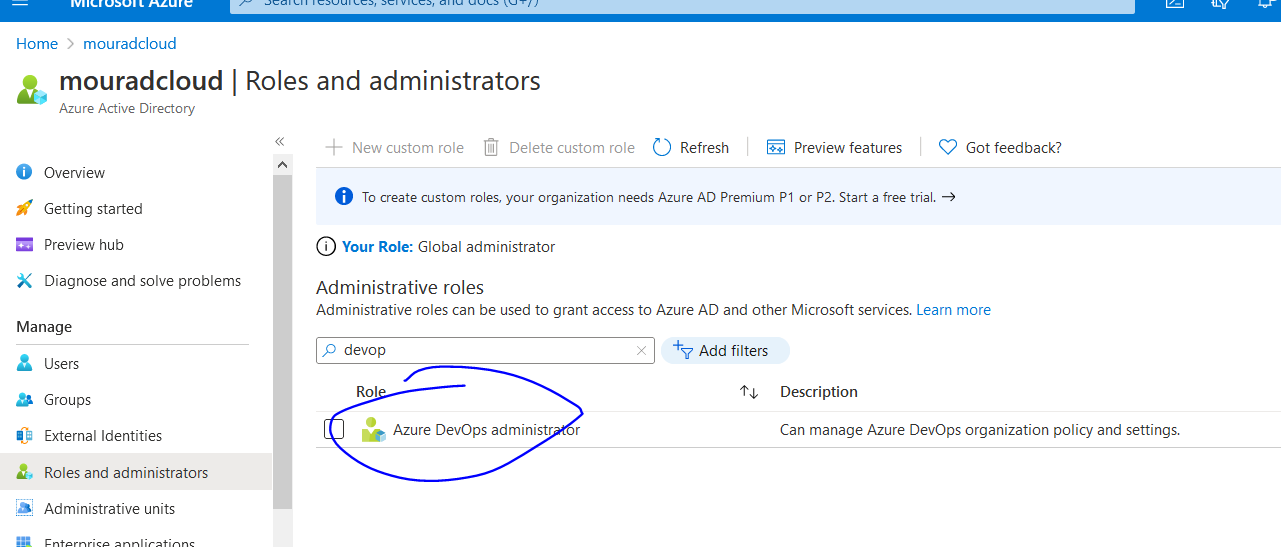
As a good practice, create a service account in Azure Active Directory with the role DevOps Administrator.
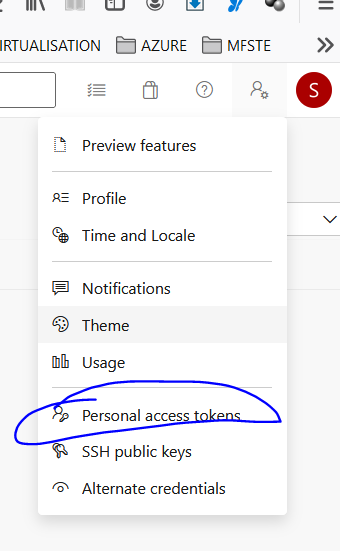
Once you have the role and logged in with it, you can go to Azure DevOps to create a PAT. Give it a name and allow the necessary rights.
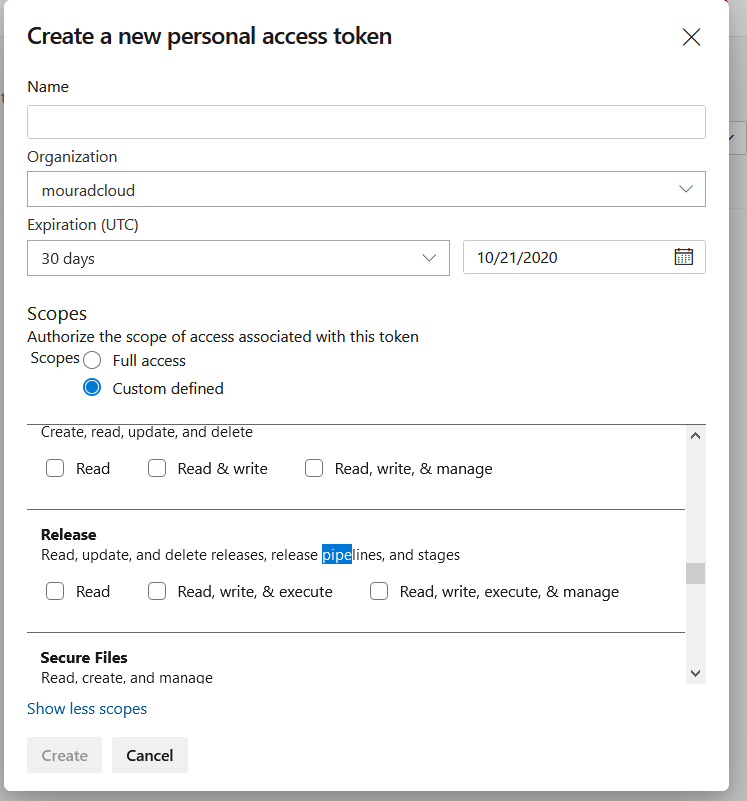
In this example, we want to start some release pipeline when triggering calls.
Make sure you save the token securely!
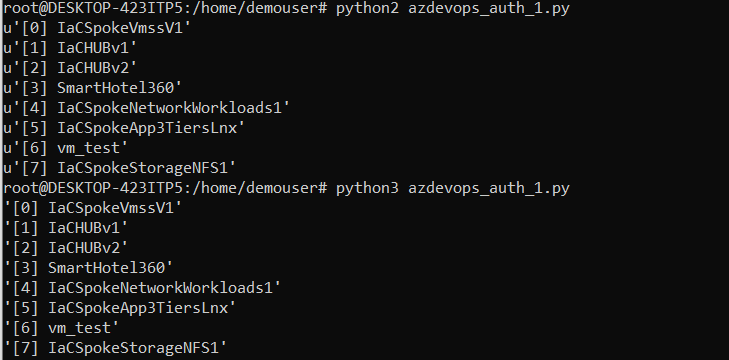
Coding the client
Create the client using your favorite language. Python is recommended - you can find the Python SDK source here.
First, install the library:
pip install azure-devopsThen create the client:
from azure.devops.connection import Connection
from msrest.authentication import BasicAuthentication
import pprint

# Fill in with your personal access token and org URL
personal_access_token = 'YOURPAT'
organization_url = 'https://dev.azure.com/YOURORG'

# Create a connection to the org
credentials = BasicAuthentication('', personal_access_token)
connection = Connection(base_url=organization_url, creds=credentials)

# Get a client (the "core" client provides access to projects, teams, etc)
core_client = connection.clients.get_core_client()

# Get the first page of projects
get_projects_response = core_client.get_projects()
index = 0
while get_projects_response is not None:
    for project in get_projects_response.value:
        pprint.pprint("[" + str(index) + "] " + project.name)
        index += 1

    if get_projects_response.continuation_token is not None and \
       get_projects_response.continuation_token != "":
        # Get the next page of projects
        get_projects_response = core_client.get_projects(
            continuation_token=get_projects_response.continuation_token)
    else:
        # All projects have been retrieved
        get_projects_response = None
Triggering a pipeline
Now for the fun part - let's trigger a pipeline!
Here is the syntax to run a pipeline:
from azure.devops.connection import Connection
from msrest.authentication import BasicAuthentication
import pprint

# Fill in with your personal access token and org URL
personal_access_token = 'XXXXXXXXXXXXXXXXXXXXXXXXXXXX'
organization_url = 'https://dev.azure.com/mouradcloud'
project_name = "IaCSpokeStorageNFS1"
pipelines_name = 'IaCSpokeStorageNFS1-CI-preprod'
pipelines_id = 13

# Create a connection to the org
credentials = BasicAuthentication('', personal_access_token)
connection = Connection(base_url=organization_url, creds=credentials)

# Create a pipeline client
def create_pipeline_client():
    # Get connection from DevOps & create pipeline client
    pipeline_client = connection.clients.get_pipelines_client()
    return pipeline_client

# Use the client to trigger the pipeline
pipeline_client = create_pipeline_client()
run_response = pipeline_client.run_pipeline(project_name, pipelines_id)
pprint.pprint(run_response)
This allows you to programmatically interact with Azure DevOps pipelines and automate your CI/CD workflows from client applications.